
Kitchen System
Stations, recipes and a fridge, for cafés and restaurants.
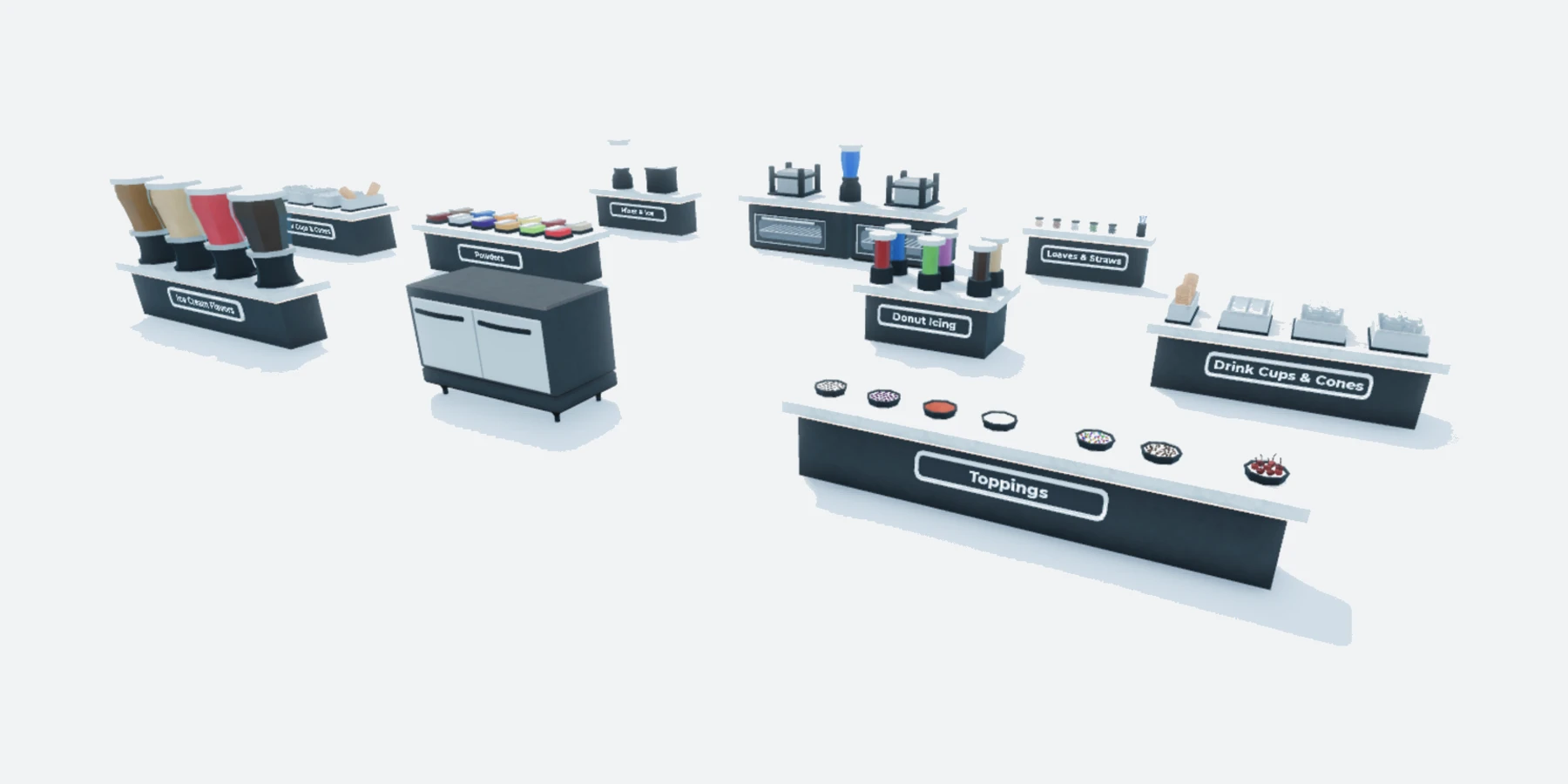
Overview
A working kitchen for a roleplay café or restaurant. Staff choose a food at the register, take ingredients from the fridge, and make it step by step at the stations.
An on-screen guide shows each step and lights up the next station. Distances, timings and messages are set in one file in Studio. No scripting needed.
What the system does
Everything below is included.
Register
Staff click the register and pick one of 60 foods to make.
Fridge
Hands out the 17 raw ingredients. Nothing else can be taken from it.
Stations
46 station prompts turn ingredients into food, one step at a time.
Step Guide
Shows what to do next and lights up the station that is needed.
Per-Player Cooldowns
Each player has their own cooldown, so staff don’t block each other.
Exploit Protection
Ingredients are reserved when a station starts, so they can’t be used twice.
Before you install
Complete all four steps. The system won’t run in your game until you do.
Join the Prova Group
You must be in the group when you buy and when you sign in. Players in your game don’t need to join.
Buy the Game Pass
A one-time payment in Robux, on this page, once it’s on sale.
Create Your Licence Key
Sign in to your dashboard with Roblox. One key covers every system you own, in up to six experiences.
Get the System
Get the free model from the Creator Store. You only need to take it once.
What’s included
What your Explorer looks like after installing.
Workspace
└─ PROVA | Kitchen System Folder
├─ KitchenModels Folder
│ └─ 9 station models and 11 station parts Model
└─ KitchenRegisters Folder
└─ Register Model
ReplicatedStorage
└─ PROVA | Kitchen System Folder
├─ KitchenConfig ModuleScript
├─ KitchenFridge ModuleScript
├─ KitchenRecipes ModuleScript
├─ KitchenStations ModuleScript
├─ README Script
└─ Remotes Folder
├─ ItemGranted RemoteEvent
├─ RecipeUpdate RemoteEvent
├─ RequestItem RemoteEvent
└─ StartRecipe RemoteEvent
ServerScriptService
└─ PROVA | Kitchen System Folder
├─ FridgeService ModuleScript
├─ KitchenServer Script
├─ RecipeService ModuleScript
└─ StationService ModuleScript
StarterPlayer → StarterPlayerScripts
└─ PROVA | Kitchen System Folder
└─ KitchenClient LocalScript
StarterGui
└─ KitchenUI ScreenGui
├─ Food Frame
├─ Fridge Frame
└─ KitchenSteps Frame
ServerStorage
└─ PROVA | Foods Folder
└─ 149 food tools Tool
You Need
- Roblox Studio, with your game open.
- Your Prova licence key, from your dashboard.
- To own the experience, or the group that owns it.
- Room in your map for the kitchen. It arrives already built.
You Set Up
- Move the Kitchen Into Place
15 settings in one file
Everything you can change is in KitchenConfig. Type each value exactly as shown.
Interaction
5On-Screen Guide
6Rules
3Output
1When the system runs
All of these must be true. They’re checked every 15 minutes.
| Requirement | If it isn’t | ||
|---|---|---|---|
| 01 | Prova Core | Install it in the same experience. One free copy covers every system. | PC-002 |
| 02 | Licence Key | Add your licence key to the experience’s Secrets Store as prova_licence. | PC-003 |
| 03 | HTTP Requests | Enable HTTP Requests for the experience. | PC-004 |
| 04 | Ownership | The experience must be owned by you or a group you own. | PC-014 |
| 05 | Free Slots | Fewer than six experiences are using your licence key. | PC-008 |
| 06 | The System | You own the Game Pass for this product on the account using the licence key. | PC-015 |