
Training Nametag System
Rank nametags for a training centre.
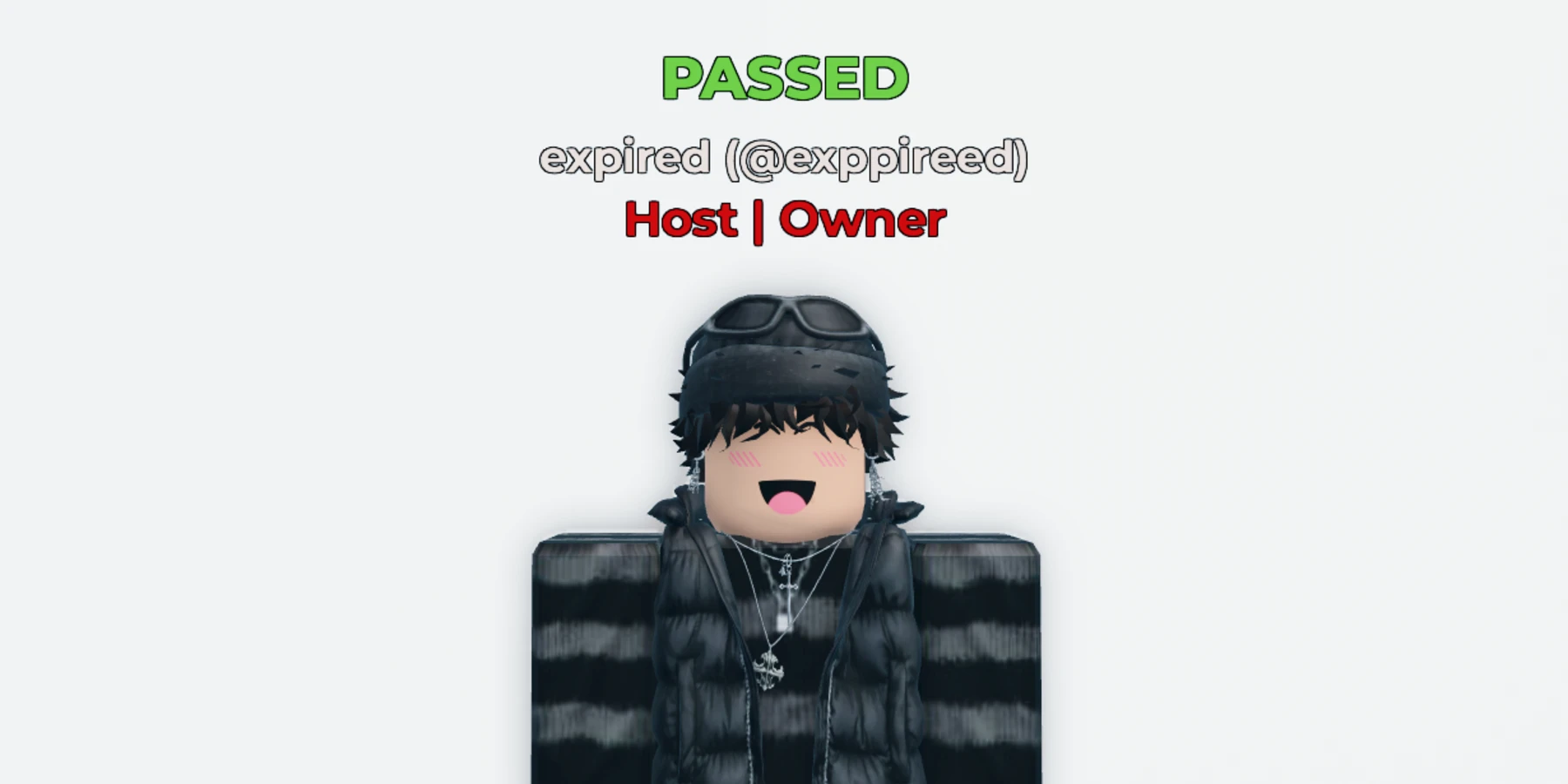
Overview
Nametags for a training centre. Each one shows the player’s name, their team and role, and their training progress.
Trainers give points with a prompt, trainees pass at the goal for their rank, and staff can warn with !warn. Teams, ranks and goals are set in one file. No scripting needed.
What the system does
Everything below is included.
Team and Role
Shows Team | Role under the name, in the team’s colour.
Training Points
Trainers walk up to a trainee and press Add Point. The nametag counts up.
PASSED
When a trainee reaches the goal for their rank, the nametag shows PASSED with sparkles.
!warn
Staff warn lower ranks in chat. After three warnings the nametag says FAILED.
AFK and Typing
A small mark before the name while a player is away or typing.
VIP
Shows VIP for players who own your VIP pass and aren’t trainees.
Before you install
Complete all four steps. The system won’t run in your game until you do.
Join the Prova Group
You must be in the group when you buy and when you sign in. Players in your game don’t need to join.
Buy the Game Pass
A one-time payment in Robux, on this page, once it’s on sale.
Create Your Licence Key
Sign in to your dashboard with Roblox. One key covers every system you own, in up to six experiences.
Get the System
Download the file from the Prova Discord server, together with Prova Core.
What’s included
What your Explorer looks like after installing.
ReplicatedStorage
└─ PROVA | Training Nametag System Folder
├─ README Script
└─ Remotes Folder
├─ StatusUpdate RemoteEvent
└─ WarnNotice RemoteEvent
ServerScriptService
└─ PROVA | Training Nametag System Folder
├─ AddTrainingPoints BindableEvent
├─ NametagUI BillboardGui
│ ├─ GroupRank TextLabel
│ ├─ Username TextLabel
│ └─ VIP TextLabel
├─ PassedParticles Folder
│ └─ 5 ParticleEmitters ParticleEmitter
├─ PointsService ModuleScript
├─ StatusService ModuleScript
├─ TagService ModuleScript
├─ TrainingConfig ModuleScript
├─ TrainingRules ModuleScript
├─ TrainingServer Script
└─ WarnService ModuleScript
StarterPlayer → StarterPlayerScripts
└─ PROVA | Training Nametag System Folder
└─ TrainingClient LocalScript
You Need
- Roblox Studio, with your training centre open.
- Your Prova licence key, from your dashboard.
- To own the experience, or the group that owns it.
- Your Roblox group’s ID, and teams for trainees and trainers.
You Set Up
- Make Your Teams
- Set Your Group and Ranks
40 settings in one file
Everything you can change is in TrainingConfig. If a value is wrong, Output says which one.
Your Group
2The Nametag
9Training Points
14Warnings
7VIP and Colours
8When the system runs
All of these must be true. They’re checked every 15 minutes.
| Requirement | If it isn’t | ||
|---|---|---|---|
| 01 | Prova Core | Install it in the same experience. One free copy covers every system. | PC-002 |
| 02 | Licence Key | Add your licence key to the experience’s Secrets Store as prova_licence. | PC-003 |
| 03 | HTTP Requests | Enable HTTP Requests for the experience. | PC-004 |
| 04 | Ownership | The experience must be owned by you or a group you own. | PC-014 |
| 05 | Free Slots | Fewer than six experiences are using your licence key. | PC-008 |
| 06 | The System | You own the Game Pass for this product on the account using the licence key. | PC-015 |
Limitations
Read these before you buy.